
If you see the message "Promotion applied 10% off each month for 12 month(s)", congratulations! Your promo code has been successfully applied. You'll save 10% on your Google Workspace subscription for the entire first year.
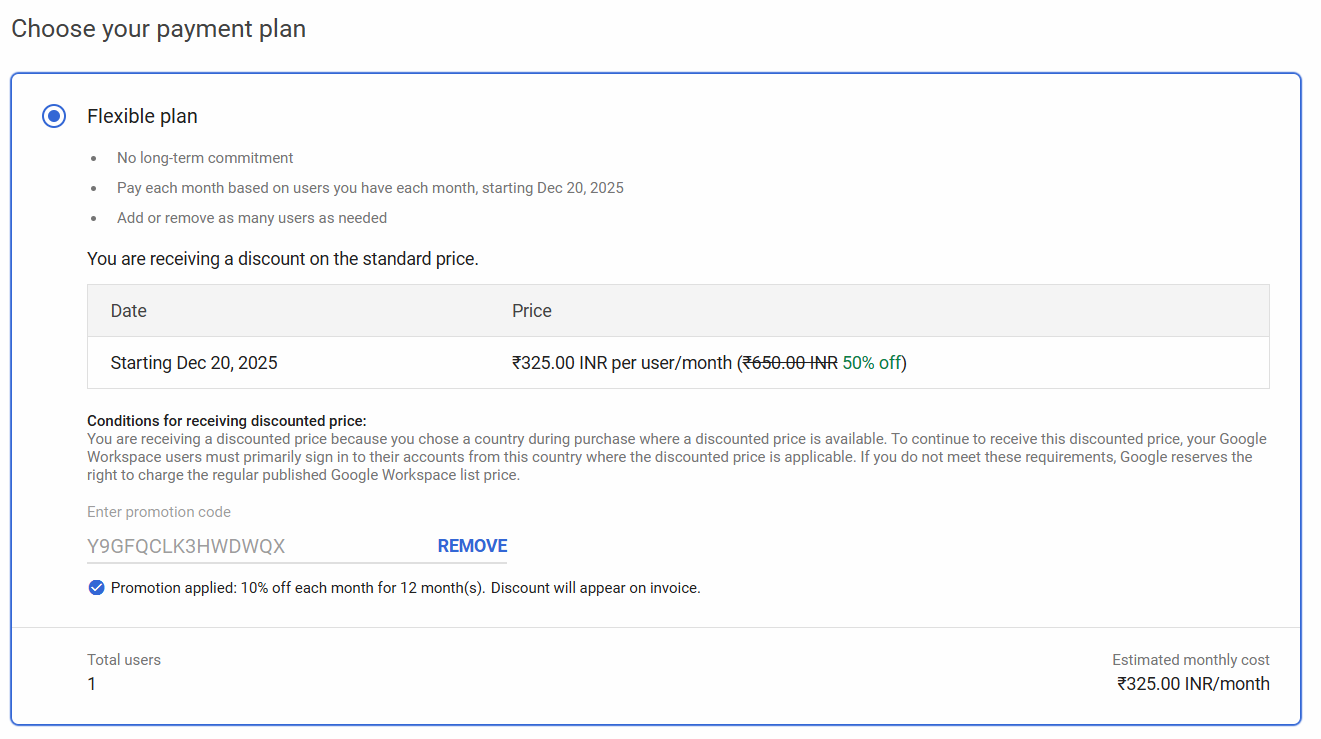
Success: Your Code is Working!
Common Error Messages & Solutions
If your code isn't working, you'll see one of the following error messages. Here's what each means and how to fix it:
"The promotion code you entered has been used"
The promo code you're trying to use has already been redeemed by someone else. Each code is single-use and can only be applied once.
- Get a fresh, unused promo code from our homepage
- Make sure you're the first person to use the code you generate
- Don't share your code publicly – it will be used by someone else
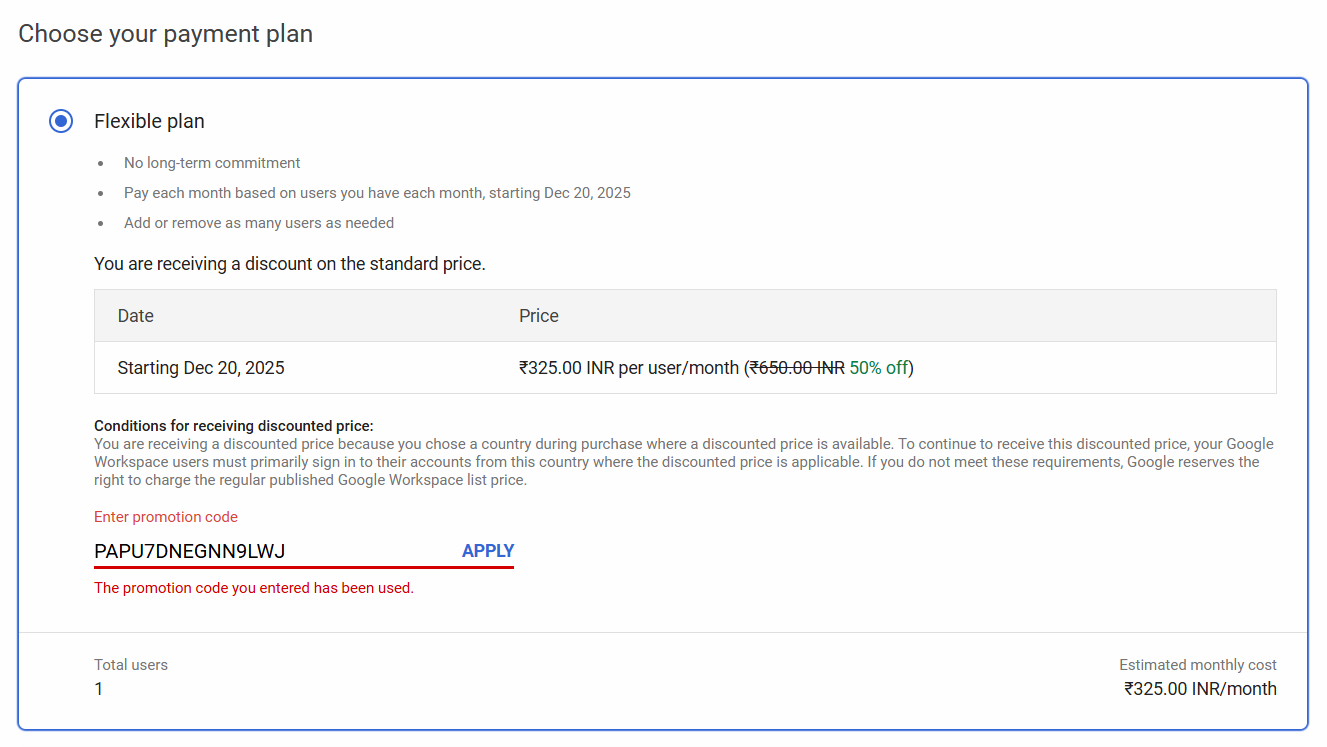
Error: "The promotion code you entered has been used"
"The promotion code you entered isn't valid"
The code is either expired, incorrectly typed, or not a legitimate Google Workspace promo code.
- Double-check that you've typed the code exactly as shown (no extra spaces)
- Ensure the code hasn't expired (typically valid for 30 days)
- Get a verified, fresh code from GWsave
- Avoid using codes from unreliable sources or expired promotions
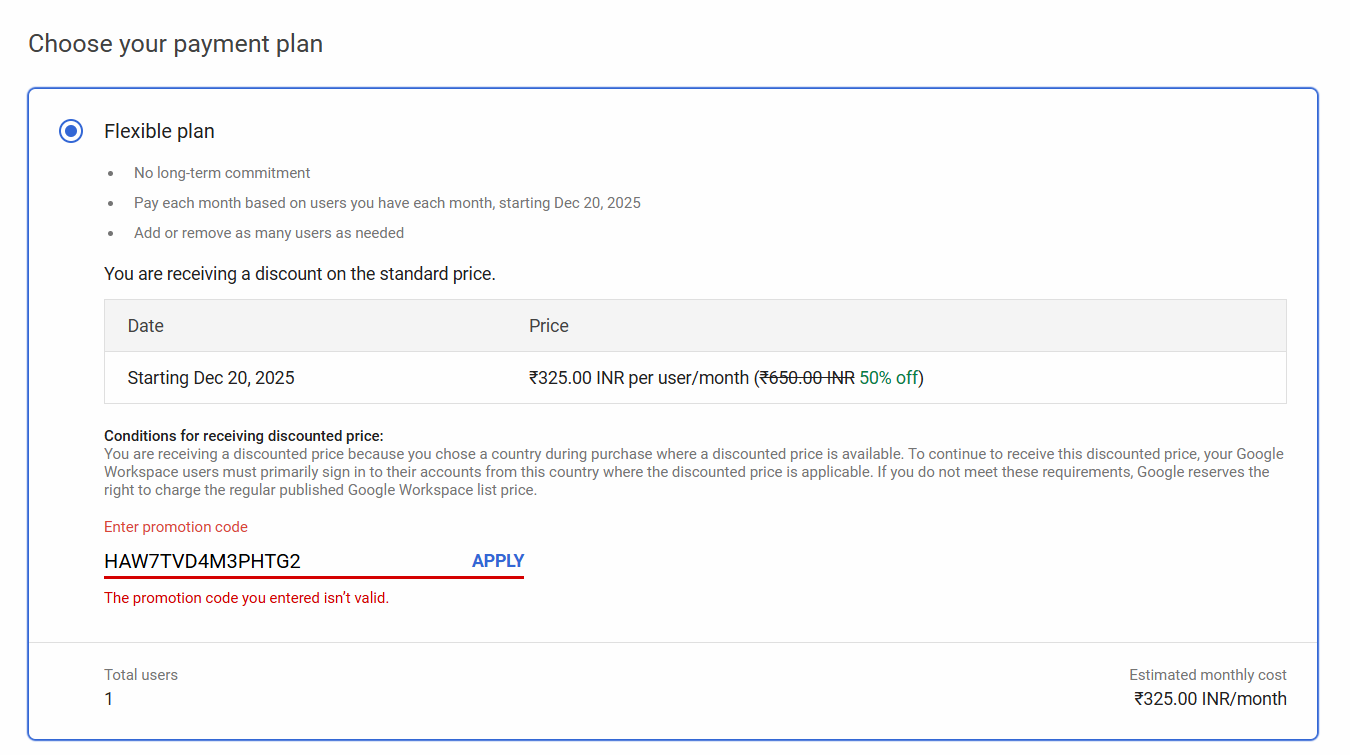
Error: "The promotion code you entered isn't valid"
"The promotion code you entered doesn't apply to your country/region"
Google Workspace promo codes are region-specific. You're using a code meant for a different geographical region than your billing address.
- Get a promo code that matches your billing region from our homepage
- Select the correct region when generating your code
- Verify your billing address matches the region of your promo code
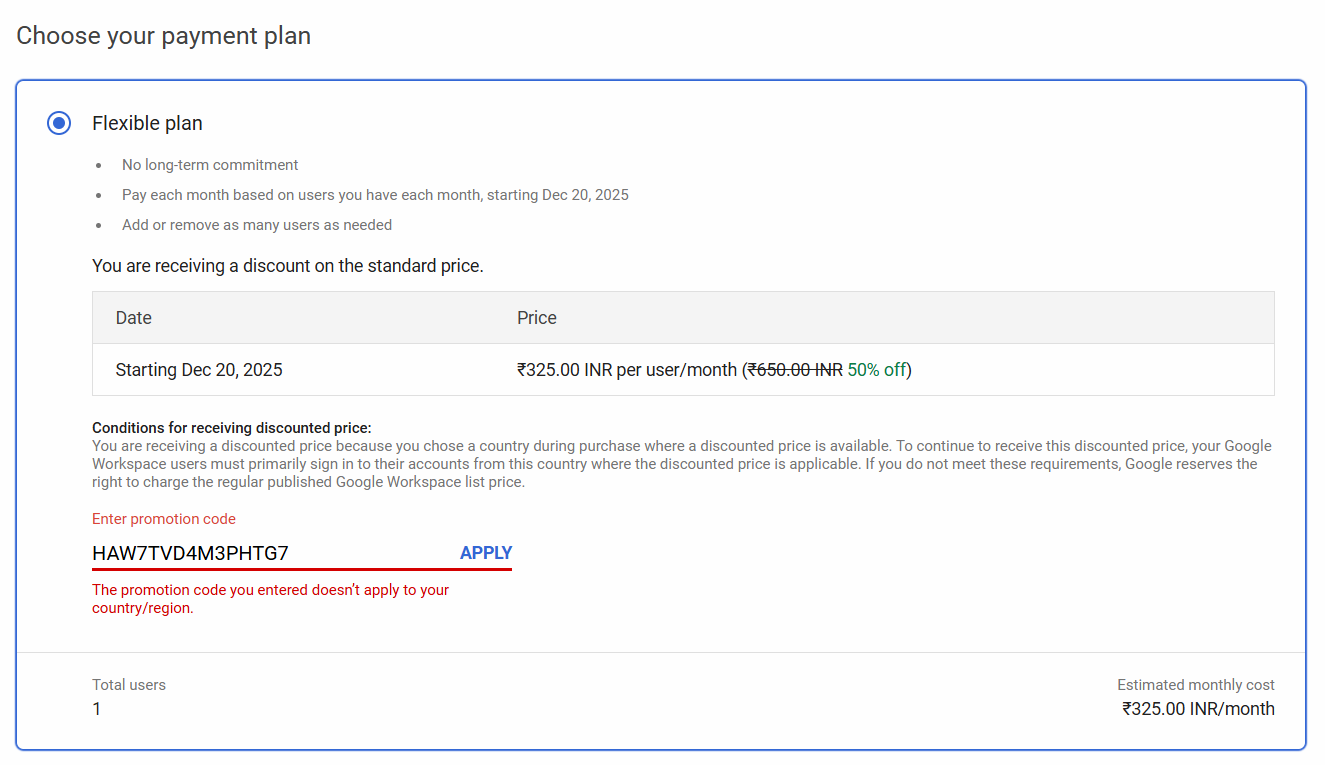
Error: "The promotion code you entered doesn't apply to your country/region"
"The promotion code you entered isn't valid for the selected product"
You're trying to use a promo code for a different Google Workspace plan than the one you selected. Each code is specific to either Business Starter, Business Standard, or Business Plus.
- Using a Business Starter code on a Business Standard plan
- Applying a Business Standard code to a Business Plus subscription
- Trying to use a Business Plus code on a Starter plan
- Check which plan your code is for (Starter, Standard, or Plus)
- Make sure you select the matching plan during Google Workspace signup
- If you need a different plan, get the correct code from our homepage
- We currently offer codes for Business Starter and Business Standard plans
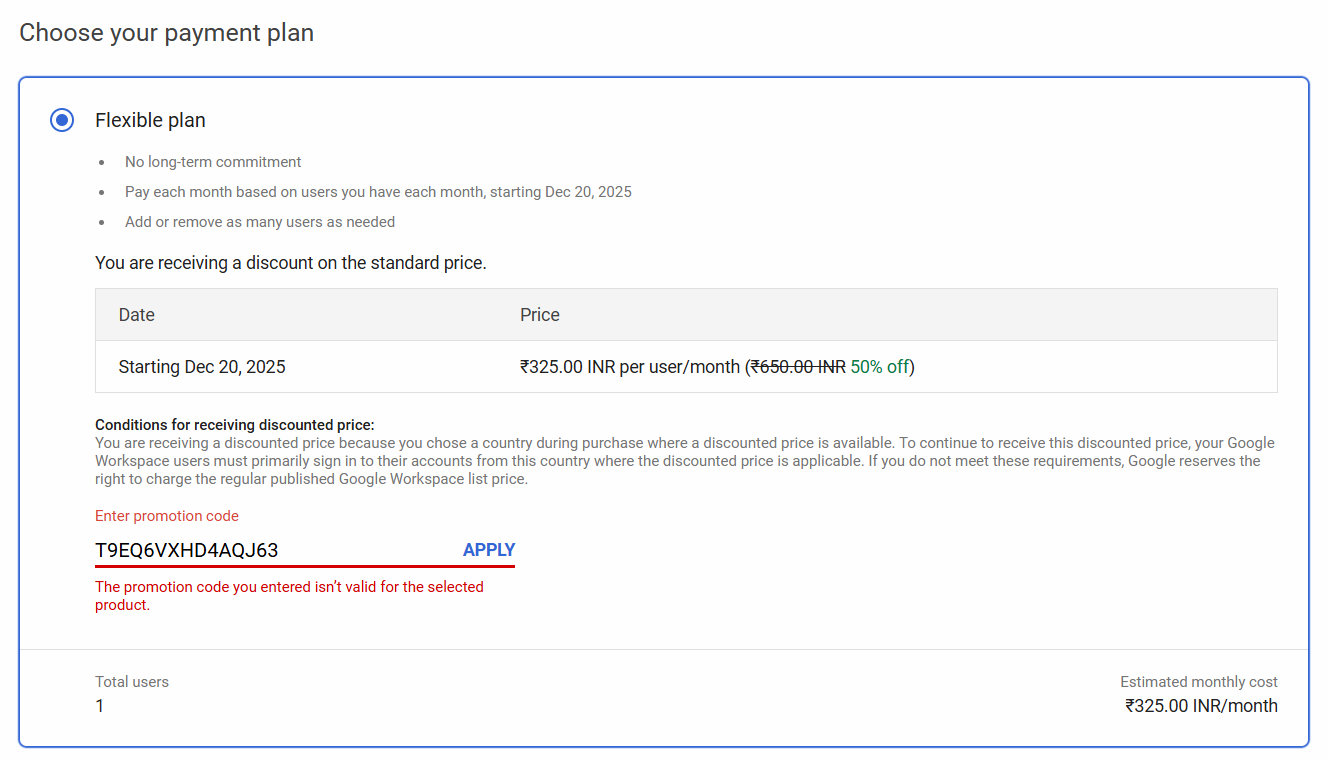
Error: "The promotion code you entered isn't valid for the selected product"
"A promotion code isn't allowed after trial ends"
You are trying to apply a promo code after your 14-day free trial has expired and you have started being charged.
- Promo codes must be applied during the 14-day trial period
- If your trial has ended, you can no longer add a promotional code
- Consider creating a new account if you are still within the early stages to use the code
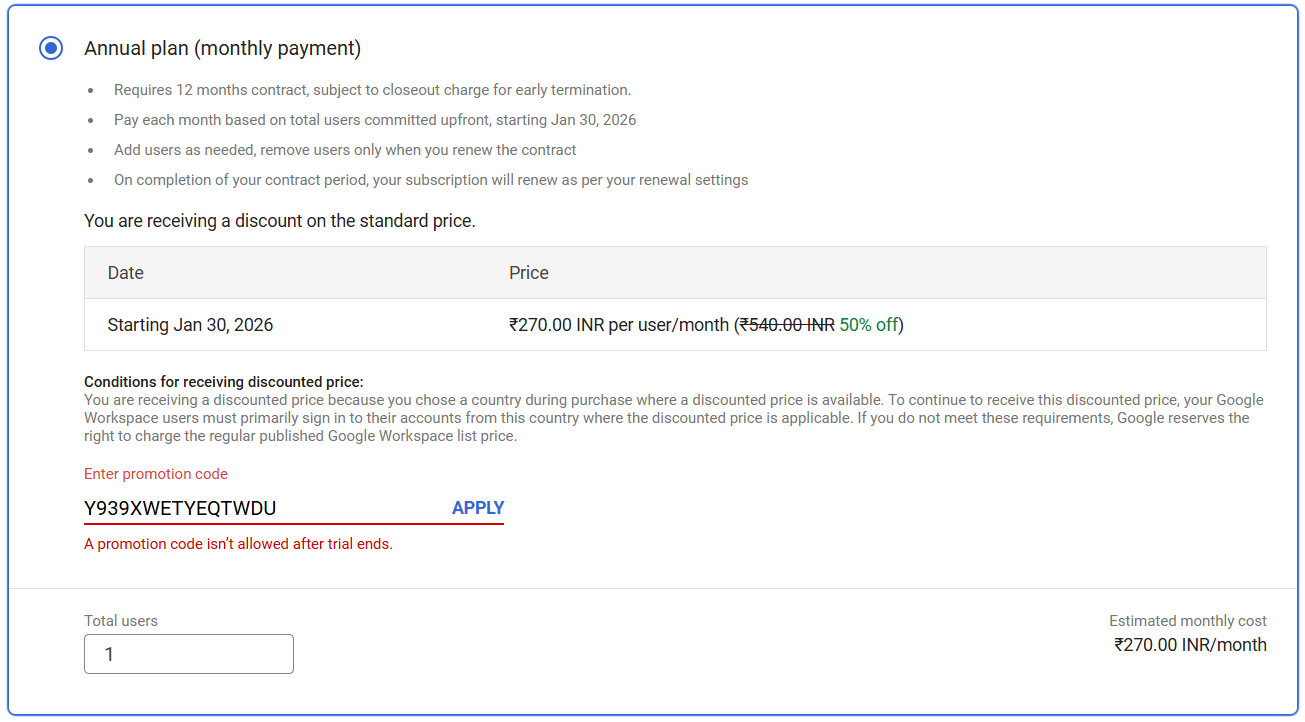
Error: "A promotion code isn't allowed after trial ends"
Still Having Issues?
If you're still experiencing problems after trying these solutions, here are some additional resources:
- Review our step-by-step guide to ensure you're applying the code correctly
- Get a fresh promo code from our homepage
- Contact Google Workspace support directly for billing-specific issues