
Most companies are burning cash on AI they don't need.
They treat "Model Selection" like a feature toggle. It’s not.
In 2026, model selection is a balance sheet item.
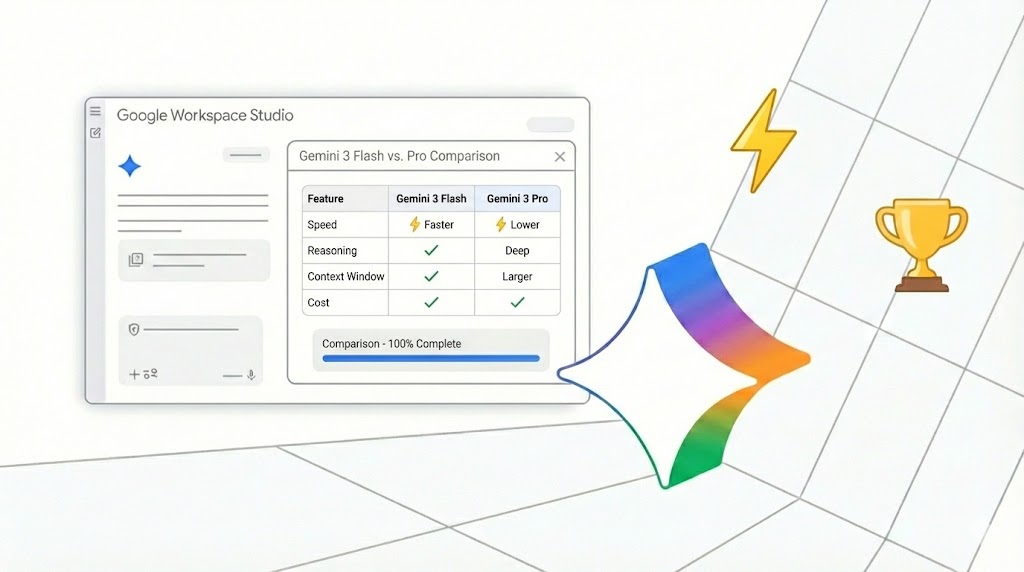
With the rollout of Gemini 3 Flash and Pro into Workspace, the question isn’t "Which model is smarter?"
The question is: "Can you afford to wait 3 seconds for an answer that should take 300 milliseconds?"
Here is the decision matrix I use to save clients 40-60% on their AI compute costs while speeding up their workflows.
The TL;DR
- Gemini 3 Flash is for doing.
- Gemini 3 Pro is for thinking.
- Nano Banana Pro is for creating.
Don't pay for thinking when you just need doing.
1. The Technical Specifications (No Fluff)
Forget the marketing buzzwords. Here is what matters for your P&L.
- Gemini 3 Flash: The workhorse. Sub-second latency. 1M token context. It’s built for high-volume triage and quick actions. It’s not dumb; it’s efficient.
- Gemini 3 Pro: The thinker. Capable of "Thought Signatures" and deep reasoning. It costs 4x more and takes 3x longer to reply. Use this only when you need a PhD, not an intern.
- Nano Banana Pro: The creative. Lightweight, on-device capable. You’ll see this popping up in Google Slides and Vids. It handles visual context without wrecking your latency budgets.
The Rule of Thumb:
If the task requires action (categorize, formatting, extraction), use Flash.
If the task requires insight (strategy, legal analysis, complex coding), use Pro.
2. The Latency/Intelligence Trade-Off Matrix
Stop guessing. Print this out.
1. Primary Use Case
- Gemini 3 Flash: Built for high-volume triage and summarization.
- Gemini 3 Pro: Built for complex reasoning, coding, and legal analysis.
2. Latency (Time to First Token)
- Gemini 3 Flash: Sub-second (<500ms).
- Gemini 3 Pro: Multi-second (2s+).
3. Context Window
- Gemini 3 Flash: 1 Million Tokens.
- Gemini 3 Pro: 1 Million+ (Deep Research capable).
4. Cost Profile
- Gemini 3 Flash: Low ($0.50/1M input).
- Gemini 3 Pro: High ($2.00+/1M input).
5. Best Workspace Application
- Gemini 3 Flash: Gmail (Inbox Triage), Google Chat.
- Gemini 3 Pro: Google Docs (Contract Review), Google Sheets.
The Hidden Cost of Latency:
In an automated workflow (like a customer service bot), a 2-second delay doesn't just annoy the customer. It keeps the thread open longer, consuming more concurrent resources.
3. The Economic Case Study: Customer Support
Let’s look at the math.
Scenario: A SaaS company processes 10,000 support emails/month.
Strategy A: The "Lazy" Pro Approach
You route everything through Gemini 3 Pro because you "want the best quality."
- Cost: High (approx. $2.00/1M tokens).
- Latency: 3 seconds per categorization.
- Outcome: You are paying premium rates to ask a genius to sort mail.
Strategy B: The Hybrid Waterfall
You use Gemini 3 Flash as the gatekeeper.
- Step 1 (Flash): "Is this email about a Refund, a Bug, or a Feature Request?" (Cost: Pennies. Time: 300ms).
- Step 2 (Routing):
- Refunds: Flash drafts the reply instantly.
- Bugs: Flash extracts the logs.
- Complex Strategy: Only now do you trigger Gemini 3 Pro to analyze the nuanced user complaint.
The Result:
- 75% reduction in AI token costs.
- 2.5s faster "First Response Time" for 90% of tickets.
You didn't sacrifice quality. You optimized for economic reality.
4. Implementation in Workspace Studio
You don't need to be a coder to fix this.
Google's Workspace Studio (and the underlying Vertex AI Agent Engine) now lets you toggle models at the step level.
- Open Workspace Studio.
- Check your "Model Garden" defaults. Most defaults are set to "Auto," which often defaults to the more expensive model to ensure safety.
- Force "Flash" for all extraction and categorization steps.
- Reserve "Pro" for steps labeled "Generate Final Draft" or "Analyze Risks."
Pro Tip: Use Nano Banana Pro for any internal slide generation or visual assets. It’s optimized for visual rendering and won’t eat into your Pro API quota.
Next Step for You: Open your Google Cloud or Workspace Admin console today. Look at your default model settings for your internal agents. Switch your "Triage" agents to Flash. You likely just saved enough budget to hire another human.